Ink won't dry after printing? A complete guide to screen printing drying and curing.
Screen printing ink takes forever to dry, it smudges easily when touched, and stacked inks all stick together—this is a major headache for many beginners. Ink drying isn't just a matter of "waiting"; different inks have different curing methods. Choosing the wrong method not only leads to low efficiency but also poor adhesion. Today, we'll discuss the drying and curing of screen printing inks, from natural air drying to UV curing, explaining everything clearly .
There are three main drying methods for screen printing inks : solvent evaporation, oxidative polymerization, and UV curing. Solvent-based drying relies on solvent evaporation, which is slow but requires simple equipment; oxidative drying relies on reaction with air to form a film, which is suitable for metals and glass; UV drying relies on instantaneous curing with ultraviolet light, which is the most efficient but requires specialized equipment.
our customers used to print plastic parts with solvent-based inks. It was fine in the summer, but in the winter it took a whole day to dry. After switching to UV inks and curing machines, they dried in seconds, tripling their production capacity. So choosing the right drying method means choosing the right production efficiency.
Practical tips
1、Solvent-based drying : This is the most common method, relying on the natural evaporation of solvents in the ink to form a film. The drying speed is greatly affected by temperature and humidity, with 20-25℃ and 50%-60% humidity being optimal. Methods to accelerate drying include: using fans for ventilation, using a drying tunnel (40-60℃), and using fast-drying solvents. Note: Excessive temperature will cause the solvent to evaporate too quickly, resulting in a skin forming on the surface while the interior remains undried, leading to problems.
2. Oxidative polymerization drying : Commonly used for metal and glass inks, it relies on the reaction of the resin in the ink with oxygen in the air to cross-link and form a film. The drying speed is slower than solvent-based drying, typically requiring 24-48 hours for complete curing. Acceleration methods: baking (120-180℃, 10-30 minutes), adding a drying agent. Note: Do not stack inks before they are fully cured to prevent sticking.
3. UV-curable drying : Specifically designed for UV inks, it relies on ultraviolet light to trigger a photopolymerization reaction, resulting in instant curing (0.5-3 seconds). A UV curing machine is required, with a lamp power of 80-120W/cm. Advantages: No solvent evaporation, strong adhesion, wear and weather resistance. Note: Insufficient energy after lamp aging can lead to surface drying but internal incomplete drying; replace the lamp every 1000 hours.
4. Two-component curing : Epoxy resin inks, mixed with a hardener before use, cure through a chemical reaction. Suitable for: substrates requiring high adhesion, such as glass, ceramics, and metals. There is a pot life after mixing (usually 4-8 hours); mix only the amount needed, otherwise the ink will harden and become unusable in the container.
5. Hazards of incomplete drying : Surface dry but interior not dry → ink sticking when stacked, ink rubbing off; solvent residue → poor adhesion, unpleasant odor; insufficient curing → failing abrasion resistance test. Judgment criteria: Ink cannot be scraped off with a fingernail, ink cannot be stuck with tape, and ink does not stick after 24 hours of stacking.
6. Drying Equipment Selection : Small batches use natural air drying + fan; medium batches use drying tunnels/ovens; large batches use UV curing machines (suitable for production lines). Investment Advice: First calculate the drying cost per piece. Although UV machines are expensive, they have low energy consumption per piece and high efficiency, making them worthwhile for monthly production of 50,000 pieces or more.
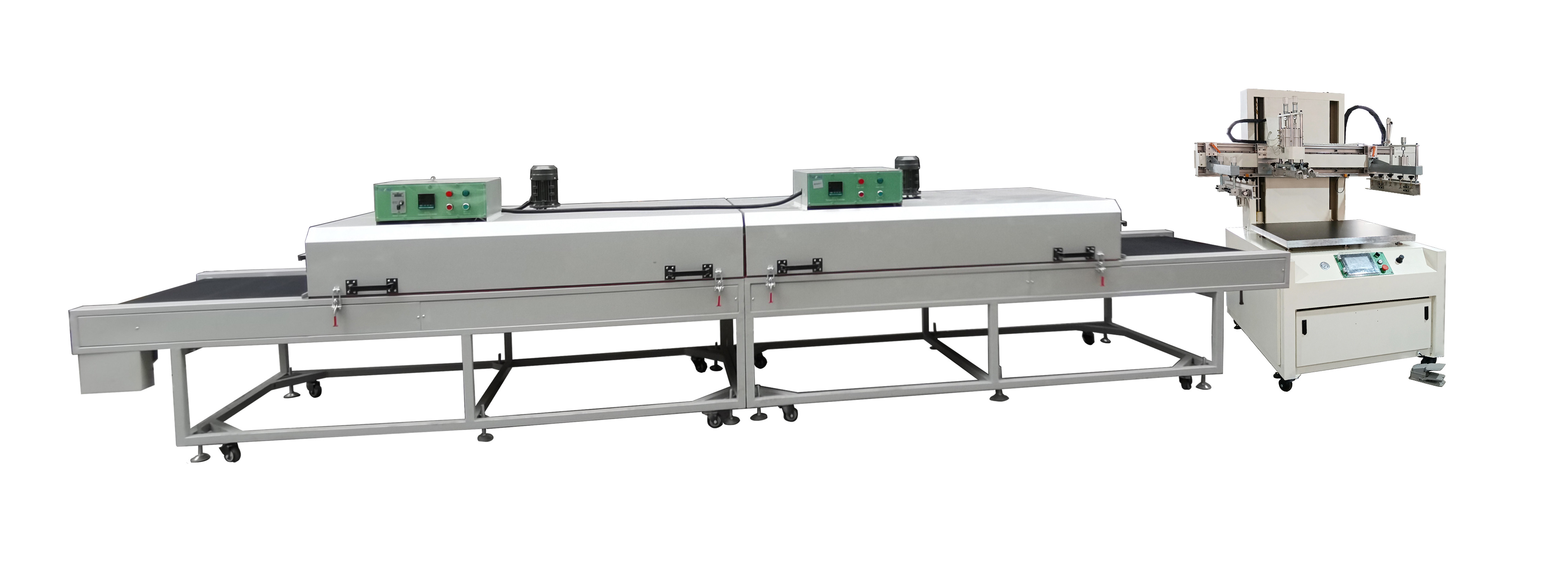
Infrared drying tunnel
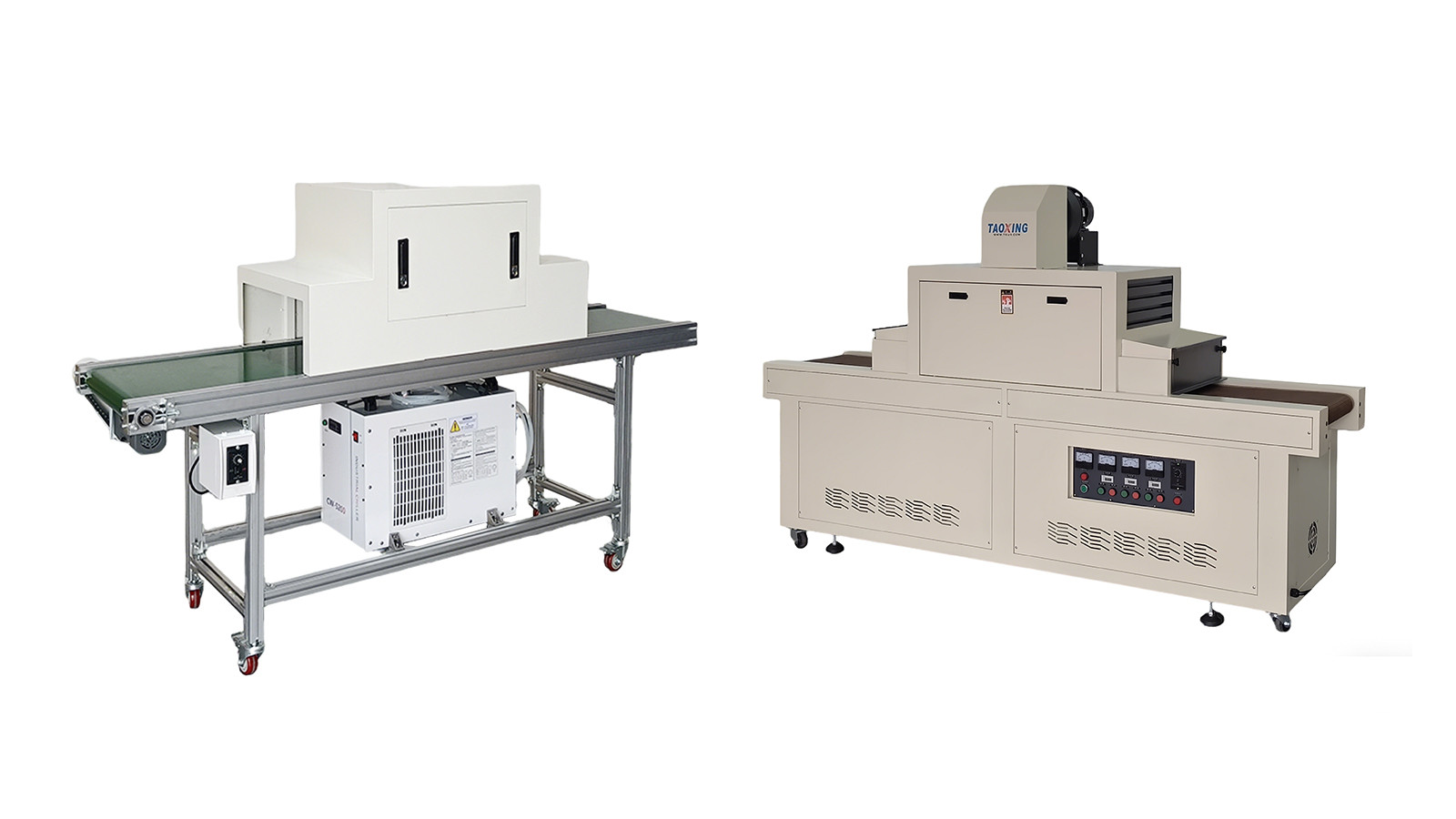
UV curing machine
#Screenprinting #Inkcuring #ScreenprintingTutorial #PrintingProcess #UVCure #ScreenprintingMachine #PrintingEquipment #ScreenprintingTips