Is your screen printing machine not dispensing ink or not springing back? Six troubleshooting points for mechanical malfunctions.
Screen printing machines sometimes suddenly stop applying ink, the screen doesn't spring back after printing, or the squeegee travel is incomplete or intermittent, delaying delivery and easily resulting in defective products. Mechanical malfunctions may seem sudden, but most have warning signs beforehand. Today, we'll explain where to check and how to handle six common malfunctions, minimizing downtime.
1. If there is no ink flow or poor ink return, first check the ink return blade and the mesh.
If the ink gradually decreases and the image shows white areas, it's often due to an excessively large gap in the ink return blade (inking blade) or a damaged blade edge, resulting in uneven ink return to the screen. It could also be caused by the ink drying too quickly or localized clogging of the screen mesh. First, check the fit and gap between the ink return blade and the screen. Add ink, stir, and clean any clogged areas promptly. For flatbed screen printing machines with long production runs, it's especially important to regularly check the ink return status.
2. If the screen does not spring back, check the screen spacing, tension, and speed.
If the squeegee fails to spring back after printing and has frayed edges, it's commonly due to an insufficient screen distance, weakened screen tension, or excessive squeegee speed preventing the screen from springing back quickly enough. A screen distance of 3-5mm and a tension of 20-25 N/cm are recommended. If the screen becomes loose, re-stretch it. The printing speed should be matched to the ink viscosity; don't prioritize speed above all else.
3. Incomplete scratching or misalignment of the travel path: Check the limit switches and guide rails.
If the scraper does not travel to the correct position or its stroke is inconsistent, check if the limit switch and proximity switch are loose or dusty, if the limit position is offset, and if the guide rail and slider are stuck. After powering off, manually rotate the machine to check for resistance, clean the guide rail, tighten the switch, and recheck the scraper's start and end positions.
4. Unstable pressure or inaccurate printing: Check the air source and cylinder.
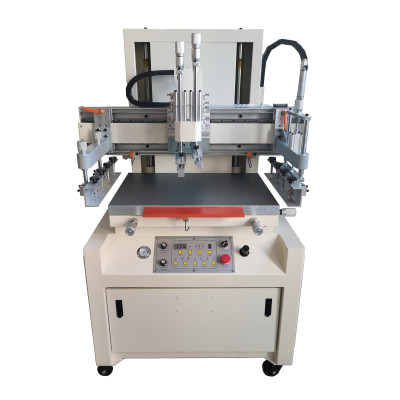
If the pressure of a product in the same batch is unstable, it is mostly due to problems in the air system: air pressure below 0.5-0.6 MPa, air leaks in the air pipes, worn cylinder seals, or a malfunctioning pressure regulating valve will all cause unstable scraper pressure. Check the air pressure gauge reading, inspect the triplet, connectors, and cylinders, and replace any leaking or damaged parts promptly. Perform drainage and lubrication according to the routine inspection (as shown in Figure 1).
5. If there is any sluggish movement or abnormal noise, check the lubrication and transmission components.
Stuttering or unusual noises during operation are often caused by insufficient lubrication in the guide rails and lead screws, worn bearings, loose belts, or insufficient lubrication in the transmission gears. Add lubricating oil according to the maintenance schedule, check belt tension and bearing clearance, and replace worn parts promptly by listing them in the wear parts log. Don't force a malfunctioning system to continue operating. Regularly pay attention to operating sounds and component temperatures; unusual noises and overheating are often precursors to malfunctions, and early detection can prevent greater damage.
6. Electrical alarms and sensors: check each item according to its code.
If the equipment fails to start or its operation is interrupted, first check if the emergency stop has been activated and if the safety door and light curtain are functioning properly. Then, check the corresponding sensors and solenoid valves by referring to the manual using the alarm codes on the touch screen or PLC. If you are unsure, contact the manufacturer immediately. Do not blindly disassemble or modify the electrical cabinet (as shown in Figure 2).
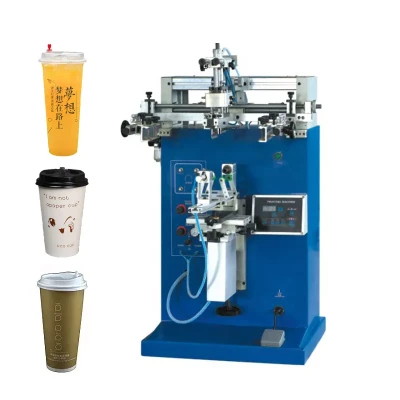
Prevention is better than cure when it comes to mechanical failures. Daily maintenance checks and proper record-keeping of vulnerable parts can prevent most unexpected downtime. Whether it's a semi-automatic screen printing machine for prototyping or a fully automatic or curved surface screen printing machine for mass production, troubleshooting should follow the order of "pneumatic and electrical circuits first, then mechanical transmission" for quick and accurate results. Even the best screen printing machine requires proper operation and timely maintenance to ensure long-term stable operation.